NECO past questions API
If you are building a NECO CBT application, examination practice website, school learning platform or EdTech product, you will eventually need a reliable way to provide students with questions.
For a small prototype, manually entering a few questions may work. For a real application covering several subjects and examination years, that approach quickly becomes difficult to maintain.
A NECO past questions API gives developers another option. Your application can request structured NECO question data when it is needed instead of manually creating and maintaining the entire question bank yourself.
This allows you to focus on the actual product you are building: the CBT interface, student accounts, examination timer, scoring, analytics, revision tools and other features.
SdashAPI provides structured examination data that developers can integrate into applications, including NECO coverage alongside other supported examinations.
What is a NECO past questions API?
A NECO past questions API is an application programming interface that allows software to retrieve NECO examination questions programmatically.
Instead of storing a question as a paragraph inside a document, the information is separated into fields that software can understand.
For example:
{
  "id": 38472,
  "question": "Which of the following best describes...",
  "option": {
    "a": "Option A",
    "b": "Option B",
    "c": "Option C",
    "d": "Option D"
  },
  "answer": "c",
  "solution": "Explanation of the correct answer.",
  "examtype": "NECO",
  "examyear": "2023",
  "image": null
}
Your application can read those fields individually.
It can display question as the question.
It can turn the values inside option into selectable answers.
It can keep answer hidden until the examination has been submitted.
It can display solution during review.
That is the main advantage of structured examination data.
Why PDFs are different from an API
A PDF containing NECO past questions is designed primarily for people to read.
An API response is designed for software to process.
Suppose you have a PDF containing 100 Chemistry questions.
A student can open the PDF and read it immediately.
Your application cannot easily determine:
Where does Question 17 begin?

Which four options belong to Question 17?

Which option is correct?

Which year is the question from?

Does the question have an image?

What explanation belongs to it?
Someone first needs to convert that information into structured data.
If you are working across many subjects and years, that becomes a substantial project by itself.
With an API, the information is already delivered in a predictable structure.
The actual problem developers are solving
It is easy to describe a CBT application as:
Show students questions and calculate their scores.
But there are two separate systems involved.
The first is your application.
It handles things such as:
Registration
Login
Dashboard
Subscriptions
CBT interface
Timer
Question navigation
Student answers
Scoring
Results
Analytics
Revision
The second is your question-data infrastructure.
It deals with:
Questions
Options
Answers
Explanations
Years
Subjects
Topics
Images
Passages
Question IDs
Metadata
Trying to build both systems simultaneously can increase the amount of work considerably.
A NECO past questions API allows you to use an existing question-data layer while concentrating on your own application.
How a NECO questions API works
Suppose a student wants to practise NECO Economics.
The flow might look like:
Student selects NECO
        ↓
Student selects Economics
        ↓
Application sends request
        ↓
API finds matching questions
        ↓
Structured JSON is returned
        ↓
Application creates practice session
If the student also selects a year, your application can include that requirement.
Conceptually:
exam = neco
subject = economics
year = 2023
The API then searches for questions matching those parameters.
Building a NECO CBT application
Imagine you're creating an application with the following screen:
Start Practice

Examination
[ NECO ]

Subject
[ Biology ]

Year
[ 2023 ]

Number of Questions
[ 30 ]

[ START PRACTICE ]
Once the student taps Start Practice, your backend requests the appropriate question data.
After receiving the response, the application can create an examination session.
The student might see:
NECO BIOLOGY

Question 1 of 30

Which of the following...

A. ...
B. ...
C. ...
D. ...

Previous                     Next

Time Remaining: 24:51
When the student selects an answer, your application records it.
For example:
studentAnswers[question.id] = "c";The next question is displayed without needing to redesign the underlying data.
At submission, your application compares the selected answers with the correct answers returned for the session.
The API does not determine your product
Two developers can use the same examination-data API and create completely different products.
One developer might build a simple NECO practice website.
Another might build a school CBT platform.
Another might build an adaptive-learning application.
Another could build a mobile application that tracks weak topics.
Another might create an AI-assisted revision platform.
The question source is only one component.
Your product can still determine:
- How students practise
- How long examinations last
- How scoring works
- Whether explanations appear immediately
- Whether students can bookmark questions
- Whether teachers can create tests
- How subscriptions work
- How performance is analysed
- How revision recommendations are generated
This is why using an API does not remove your ability to differentiate your product.
What information should a NECO past questions API contain?
For a basic CBT application, you normally need at least:
Question text
The question presented to the student.
Options
The possible answers.
Correct answer
Required for automatic marking.
Subject
Needed for filtering and organisation.
Examination year
Useful for year-based practice.
Question ID
Useful for tracking, reporting and analytics.
More advanced products may also need explanations, passages, images, topics, subtopics, difficulty levels and other metadata.
Before choosing any question API, developers should inspect the actual response structure rather than looking only at the total number of questions advertised.
Why explanations matter
There is a difference between an examination simulator and a learning platform.
An examination simulator can simply tell the student:
Your answer: B
Correct answer: D
A learning platform should ideally be able to explain why D is correct.
For example:
Your answer: B

Correct answer: D

Explanation:
[Detailed explanation]
This turns a failed question into a learning opportunity.
If explanations are important to your product, make sure the API version or dataset you choose contains enough information to support that experience.
Topic information can make your app much smarter
Suppose a student answers 100 questions and gets 30 wrong.
A normal CBT application might simply show:
Score: 70%
A more useful application can examine those 30 mistakes.
Perhaps:
12 mistakes → Genetics
8 mistakes → Ecology
6 mistakes → Reproduction
4 mistakes → Other topics
Now your application can say:
Your weakest area is Genetics. Practise Genetics next.
To build features like this efficiently, structured topic and metadata information becomes valuable.
Instead of treating every question as an isolated object, your application can understand what the question is testing.
Difficulty information can improve practice sessions
Difficulty metadata can also be useful.
Your application could offer:
Practice Mode

[ Easy ]
[ Normal ]
[ Difficult ]
[ Mixed ]
Or it could adjust automatically.
For example:
Student answers several questions correctly
             ↓
Difficulty gradually increases
             ↓
Student begins struggling
             ↓
System adjusts practice
This is a more advanced use case, but it shows why developers should think beyond simply obtaining question text.
NECO questions with images
Some questions cannot be represented properly using text alone.
A question may reference:
- Diagram
- Graph
- Table
- Illustration
- Map
- Scientific apparatus
- Mathematical figure
For example:
Study the diagram above and answer Questions 12 and 13.
Without the diagram, the question is incomplete.
Your application therefore needs to handle something such as:
{
  "question": "Study the diagram and identify the labelled part.",
  "image": "https://example.com/question-image.jpg"
}
Your frontend can check:
if (question.image) {
    // Display image
}
and skip the image component when the field is empty.
Testing this before launch is important.
Passages also need proper handling
English and other passage-based questions create another challenge.
Several questions may depend on one passage.
Your application should preserve that relationship.
For example:
PASSAGE

[Long passage...]

Question 1
...

Question 2
...

Question 3
...
A badly structured dataset can separate the questions from the passage they depend on.
When evaluating a NECO question source, developers should therefore check whether passage information is available and how it is represented.
Using SdashAPI for NECO question data
SdashAPI provides an examination-data API designed for developers building educational applications.
A developer can request questions based on supported filters rather than downloading an entire database for every operation.
The general idea is:
Your Application
       ↓
Your Backend
       ↓
SdashAPI
       ↓
NECO Question Data
       ↓
Your Backend
       ↓
Your Application
You can check currently available examination coverage through the SdashAPI Coverage Page.
This is worth checking before designing a feature around a particular subject or examination year.
Don't assume all subjects and years have identical coverage
Historical question databases are rarely perfectly symmetrical.
For example, you shouldn't automatically assume:
NECO Biology 2015 = 50 questions
NECO Biology 2016 = 50 questions
NECO Biology 2017 = 50 questions
Coverage can vary.
Your application should therefore handle the actual number returned.
If the student requests 50 questions and only 37 suitable questions are available, your software needs a sensible fallback.
You might tell the student:
37 questions are available for this selection.
Or allow the student to include multiple years.
Good application design does not assume the underlying dataset is perfectly uniform.
Test your integration before building around it
Before creating an entire NECO practice platform, prove that the basic integration works.
Start with one question.
Make sure you can:
Request it
Receive it
Parse it
Display it
Select an answer
Submit it
Mark it
Display the explanation
Then move to multiple questions.
After that, add filters.
Then add timers and examination sessions.
This incremental approach makes debugging much easier.
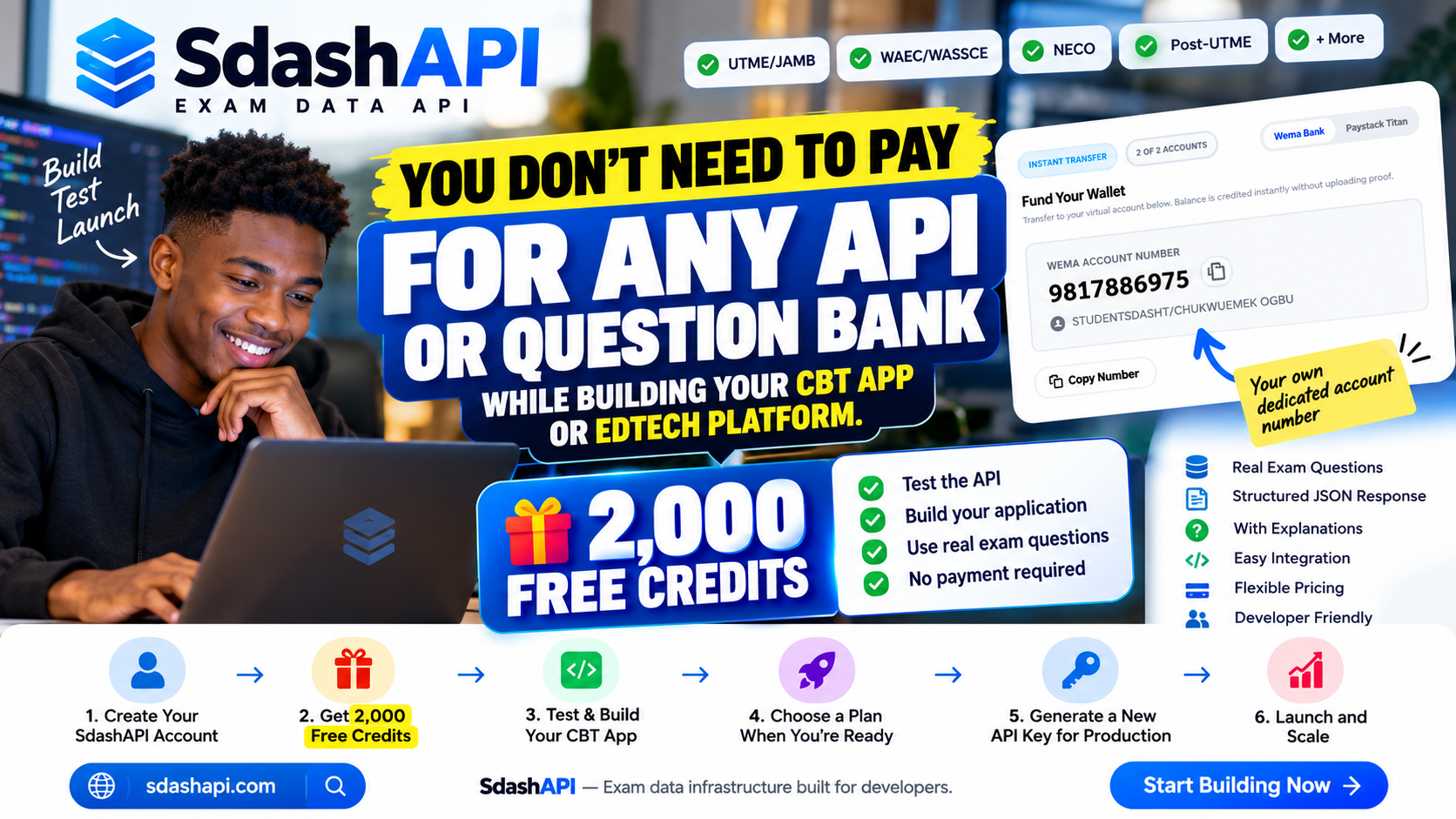
Start development with 2,000 free credits
SdashAPI provides developers with 2,000 free credits for testing.
That means you don't have to immediately purchase a large question bank simply because you're experimenting with a NECO CBT idea.
You can use the 2,000 free credits to work on the integration and understand how the question data behaves inside your application.
For example:
Create SdashAPI account
        ↓
Get 2,000 free credits
        ↓
Generate development API key
        ↓
Connect your application
        ↓
Test NECO questions
        ↓
Build CBT functionality
The purpose is development and testing.
You can determine whether the API suits your architecture before moving your application into production.
Start from the SdashAPI Website.
Use a separate production API key
Your development credentials and production credentials do not necessarily need to be the same.
During development:
Local/Test Application
        ↓
Development API Key
        ↓
SdashAPI
Once your application is ready:
Live Application
        ↓
Your Production Backend
        ↓
Production API Key
        ↓
SdashAPI
Separating them can make credential management easier.
If you later need to revoke your development key, your live application does not have to depend on it.
Don't expose your production key unnecessarily
A production API key should be treated like a credential.
Avoid putting it directly inside public frontend code when a backend architecture is available.
Instead of:
Mobile App → SdashAPIconsider:
Mobile App
    ↓
Your Backend
    ↓
SdashAPI
Your server keeps the API credentials.
The mobile application communicates with your server.
This also allows you to implement your own:
Authentication
Usage controls
Subscriptions
Caching
Logging
Rate limiting
Analytics
before returning data to the student.
What about React Native, Flutter and web applications?
A REST API is not tied to one framework.
A NECO past questions API can be integrated into software built with technologies such as:
React
React Native
Next.js
Vue
Flutter
PHP
Laravel
Node.js
Python
Java
C#
Native Android
The basic requirement is the ability to make HTTP requests and process JSON responses.
Your choice of frontend framework doesn't determine whether structured examination data can be used.
NECO API for school CBT software
A NECO question API can also be useful when building software for schools.
For example, a teacher could create a mock examination:
Create Examination

Subject:
Biology

Source:
NECO Practice Questions

Years:
2021–2025

Number:
40 Questions

Duration:
45 Minutes
Your software selects the appropriate questions and creates the examination.
Students write the test.
Your system handles:
Authentication
Timer
Answer submission
Automatic marking
Results
Class performance
The question API handles the question-data layer.
NECO API for examination preparation apps
For a student-facing application, you could provide several modes.
For example:
Quick Practice
10 Questions

Standard Practice
30 Questions

Mock Examination
Full timed session

Topic Practice
Choose a topic

Past Questions
Choose a year
All of these features can use the same underlying question infrastructure.
The difference is how your application selects and presents the data.
NECO API for AI tutoring applications
Structured examination data can also become input for more advanced educational systems.
Suppose a student repeatedly fails questions in one area.
Your application could detect the pattern and recommend targeted learning.
For example:
Student attempts 80 questions
        ↓
Application records mistakes
        ↓
Most mistakes belong to one topic
        ↓
Weak topic identified
        ↓
Application recommends revision
        ↓
New questions target that topic
If your question data includes useful metadata, you can build these systems without manually categorising every question yourself.
API access versus buying a NECO database
A common developer question is whether to use an API or buy the complete question database.
The answer depends on your architecture.
With an API:
Your Application
      ↓
Your Backend
      ↓
API Provider
      ↓
Question Data
You don't maintain the complete source database yourself.
With a bulk dataset:
Licensed Question Dataset
        ↓
Your Database
        ↓
Your Backend
        ↓
Your Application
You are responsible for hosting, indexing and maintaining the data under the relevant licence.
A bulk dataset may make sense for projects requiring extensive offline functionality or specific infrastructure arrangements.
API access can be simpler for applications that want managed question access without maintaining the entire dataset.
For bulk or unusual data requirements, developers can explain their project through the SdashAPI Contact Page.
What happens after the 2,000 free credits?
The free credits are intended to give you room to develop and test.
Once your product is ready for actual users, estimate your expected usage.
For example:
500 students

× 40 questions per session

× 4 sessions per month

= 80,000 question interactions
This type of calculation helps you understand the scale of your application.
You can then compare available production options on the SdashAPI Pricing Page.
If your application is starting small, you don't necessarily need to design your infrastructure around the usage of a platform with hundreds of thousands of students.
Start according to your actual requirements and scale when the product grows.
Build proper error handling
Never assume every request will succeed.
Your application should be prepared for:
No internet connection

Authentication error

No matching questions

Quota exhausted

Server error

Request timeout

Invalid subject

Unsupported year
Students should not see raw technical errors.
Instead of:
TypeError: Cannot read properties of undefined
show:
We couldn't load your questions. Please try again.
If no matching questions exist:
No questions are currently available for this selection. Try another year.
Small details like this make a CBT application feel significantly more reliable.
Avoid unnecessary API requests
If you're creating a 40-question examination, it is usually unnecessary to request a new question every time the student taps Next.
A better approach is:
Request examination questions
        ↓
Receive question batch
        ↓
Create examination session
        ↓
Navigate locally
        ↓
Submit when completed
This provides a smoother experience and reduces unnecessary network requests.
Your application can also decide how to recover if the student's connection disappears after the session has started.
Think about caching carefully
Caching can improve performance, but it should be implemented according to the API provider's terms and your licence.
Useful temporary caching may reduce repeated network requests.
Permanent storage of an entire question database is a different requirement.
Don't assume ordinary API access automatically gives permission to permanently copy and redistribute the underlying dataset.
If your architecture depends heavily on offline storage, discuss that requirement before launch.
The SdashAPI Contact Page can be used for questions about unusual implementation or data requirements.
Keep question IDs when storing student activity
Suppose a student answers:
Question ID: 38472
Selected: B
Correct: C
Saving the question ID allows you to create useful features later.
You can determine:
Questions frequently answered incorrectly

Questions a student bookmarked

Questions previously attempted

Questions reported by users

Questions requiring review

Questions to avoid repeating immediately
Without stable identifiers, these features become much harder.
Add a report-question feature
Educational data needs feedback.
If a student thinks an answer is wrong, give them a way to report it.
For example:
Report this question

What's wrong?

[ ] Question is incomplete
[ ] Answer appears incorrect
[ ] Image is missing
[ ] Explanation needs correction
[ ] Formatting problem
[ ] Other
Send the question ID with the report.
That is far more useful than receiving a support message saying:
One of your Biology questions is wrong.
Developers using SdashAPI can also use the SdashAPI Community for discussions or the SdashAPI Contact Page when direct support is required.
Check coverage before promising features
Before advertising:
All NECO subjects and all years available
verify the actual coverage first.
Historical data availability can differ by subject and year.
The SdashAPI Coverage Page provides a place to review currently available exam data.
Your own application can also dynamically show only combinations that are actually available.
Instead of presenting every possible year and then returning an error, your frontend could populate the year selector based on supported data.
That creates a better experience.
Is SdashAPI an official NECO API?
No.
SdashAPI is an independent examination-data service for developers. It is not the official API of the National Examinations Council.
This should be clear in your own application as well.
Using NECO practice data doesn't mean your application should present itself as an official NECO product.
Clear branding avoids confusion for students.
What should you check before choosing a NECO past questions API?
Don't make the decision based only on the headline number of questions.
Look at the actual product.
Check whether it provides the subjects and years your application needs.
Inspect the JSON.
Check the quality of options and answers.
Determine whether explanations are available.
Check how passages are handled.
Look at images and diagrams.
Understand API limits.
Understand commercial-use conditions.
Check whether you can test before paying.
Understand how errors are returned.
Determine whether support is available when a question or integration problem occurs.
Then test it inside your own application.
That gives you considerably more useful information than a feature list.
A practical development path
If you're starting a NECO CBT application today, a sensible sequence is:
1. Design your basic CBT interface

2. Create your SdashAPI account

3. Start with the 2,000 free credits

4. Generate a development API key

5. Fetch one NECO question

6. Display the question and options

7. Record the student's selection

8. Add automatic marking

9. Display explanations

10. Fetch multiple questions

11. Add subject selection

12. Add year selection

13. Test passages and images

14. Add timers

15. Add proper error handling

16. Test the complete examination flow

17. Generate a separate production API key

18. Select the production plan appropriate for your usage

19. Launch with a small group

20. Monitor usage and scale gradually
You can begin from the SdashAPI Website, review available data through SdashAPI Coverage, check current plans through SdashAPI Pricing, join discussions through the SdashAPI Community, or reach the team directly through SdashAPI Contact.
A NECO past questions API should ultimately make one part of your development process simpler: getting structured NECO examination data into your software without turning the creation and maintenance of the entire question bank into another application you have to build yourself.
Your time can then go into the features that make your product valuable to students: better practice, useful explanations, reliable CBT simulation, performance analysis and a learning experience that helps them understand where they need to improve.